What the agent checks on every computer
A small Windows agent (one file to run, nothing to configure) reports the computer’s health every few minutes. It never reads your clients’ documents or e-mails.
- Windows Backup, Veeam, Acronis… and the age of the last success
- Disk space and health, SSD wear included
- Antivirus: on, up to date, threats found
- Overdue Windows updates and pending reboots
- Installed software and versions
- Network printers and ink or toner levels
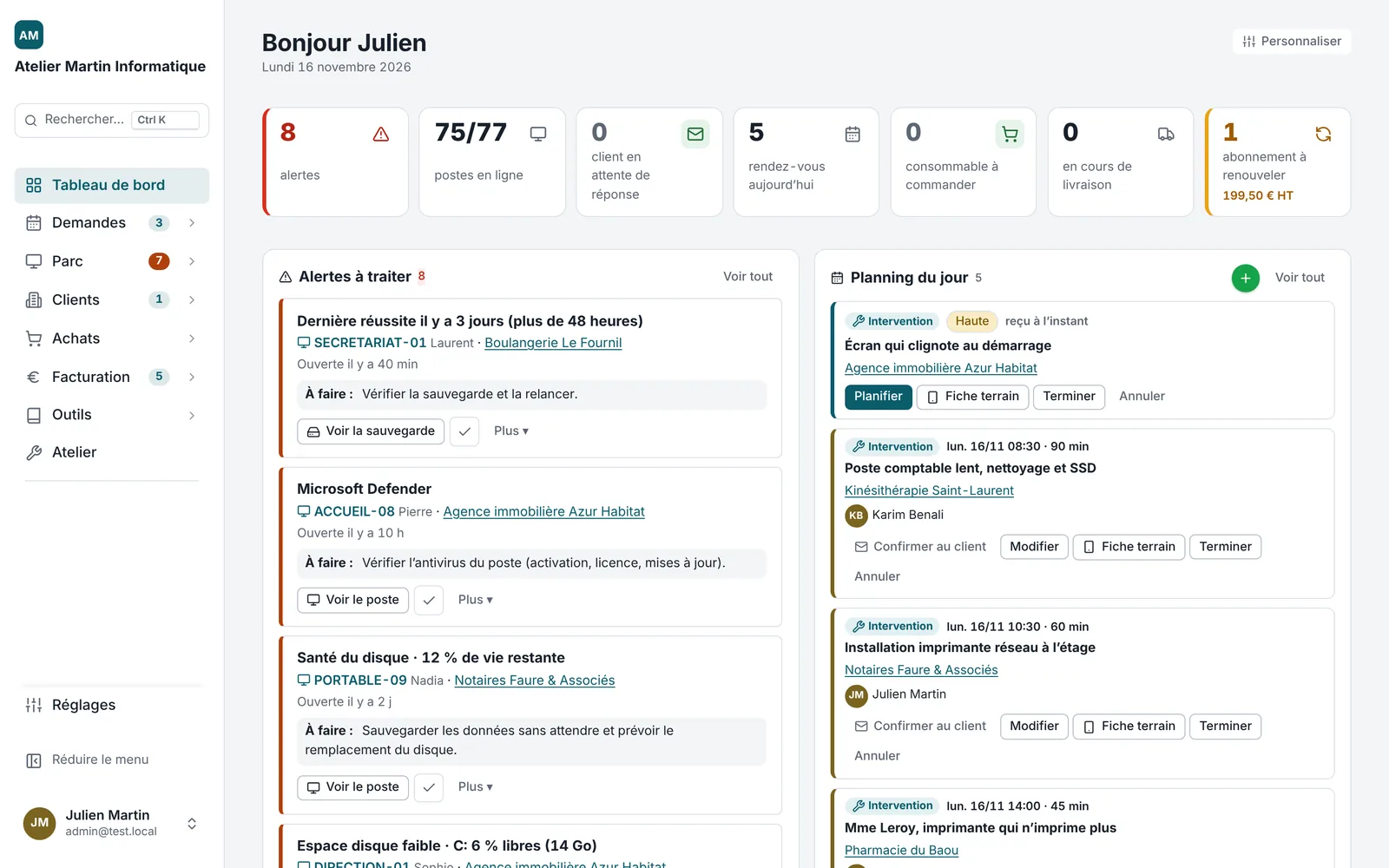
Alerts you understand, with the next step
A Kluvea alert never says “event 7031”. It says: “Backup on SECRETARIAT-01: last success 3 days ago. To do: check the backup and run it again.” Every morning, an e-mail summary groups alerts by client, most serious first.
Pause an alert (a day, a week, until it changes), notify the client in one click, or turn it straight into a job.
Remote patching and scripts
Update Chrome, Firefox, Adobe Reader or 7-Zip across a whole fleet at once. When an install fails, Kluvea explains why (“the app is open: close it and try again”) instead of an error code. PowerShell scripts run on one computer or a group, and the output lands in the computer’s page.
Made for small fleets, priced simply
Most RMM tools are built for teams of dozens of technicians, billed per technician or per device. Kluvea is made for the solo technician or small team looking after 10 to a few hundred computers: one fixed price per tier, every feature included.
Frequently asked questions
Do I need to install anything at the client’s?
Only the agent on each Windows computer: one file to run, which then updates itself. No server, no open port.
Does the agent slow computers down?
No. It uses a few megabytes of memory and only works for a few seconds every five minutes.
Can my clients see their computers?
Yes, if you want: the client portal shows their computers, requests and documents.
Does it work on Mac or Linux?
The full monitoring agent is for Windows. Macs and phones are tracked through inventory and mobile device management.