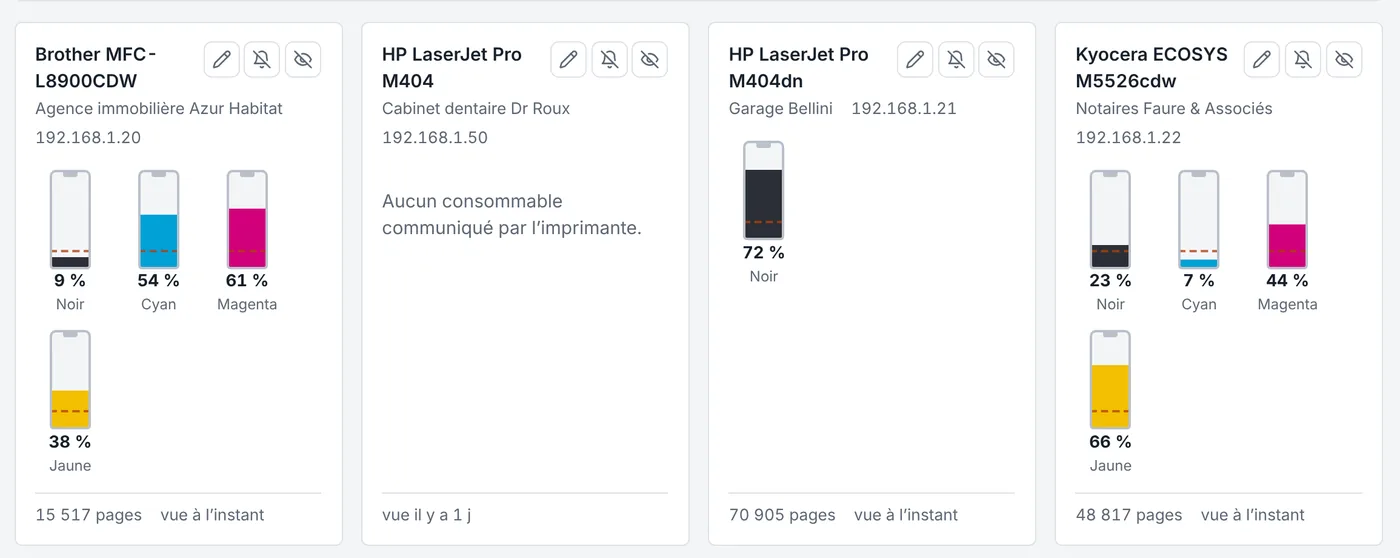
Printers are found automatically
The agent installed on one of the client’s computers finds the network printers and reads their levels (SNMP, IPP). Brother, HP, Kyocera, Canon, Epson, Lexmark, Ricoh, Xerox: no box to install, nothing on the printer.
An alert at the right level, an order ready
- Threshold per client (black and colour separately)
- Supply reference recognised, with your usual suppliers
- Order prepared and tracked until delivery
- Usage history to anticipate the next toner
Meter readings and cost-per-page billing
For copy contracts, Kluvea reads black and colour meters every month and works out pages beyond the allowance. The lines go to billing with the rest.
Frequently asked questions
What about USB printers?
The agent also reads USB printers on the computer it runs on, when the model reports its levels.
How is it different from a standalone supply tool?
Kluvea tracks supplies in the same place as computer monitoring, scheduling and billing, with a single subscription.